
Read-only Windows storage monitor
Know what your storage is actually doing.
DrivePilot reads what Windows reports about every connected drive and turns it into one plain-English status and one next action — without ever claiming a drive is safe on evidence it does not have.
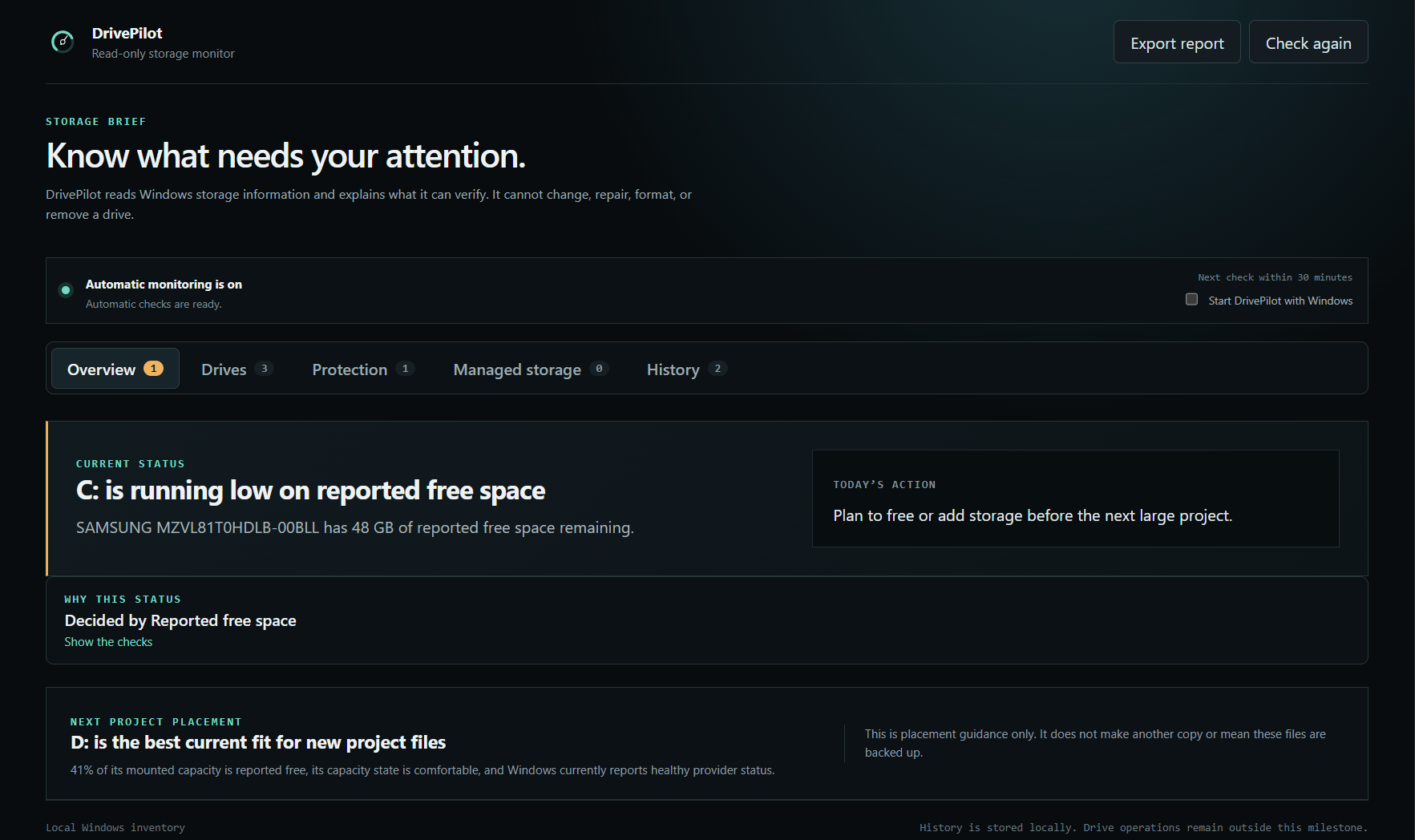
What it answers
Four questions, answered from evidence.
Every answer is traceable to something Windows reported or something you explicitly configured. Nothing is inferred from a drive's name, size, or how it happens to be connected.
What is connected
Physical drives, mounted volumes, filesystems, capacity, and transport — with unallocated space kept separate from file free space.
What needs attention
Windows health and reliability counters when the device exposes them. Missing data is labelled unavailable, never healthy.
What is protected
Backup relationships you configure yourself, with bounded folder comparison and content verification when you ask for them.
What to do next
One safe next action, plus the specific rule that produced it, so you can check the reasoning rather than trust it.
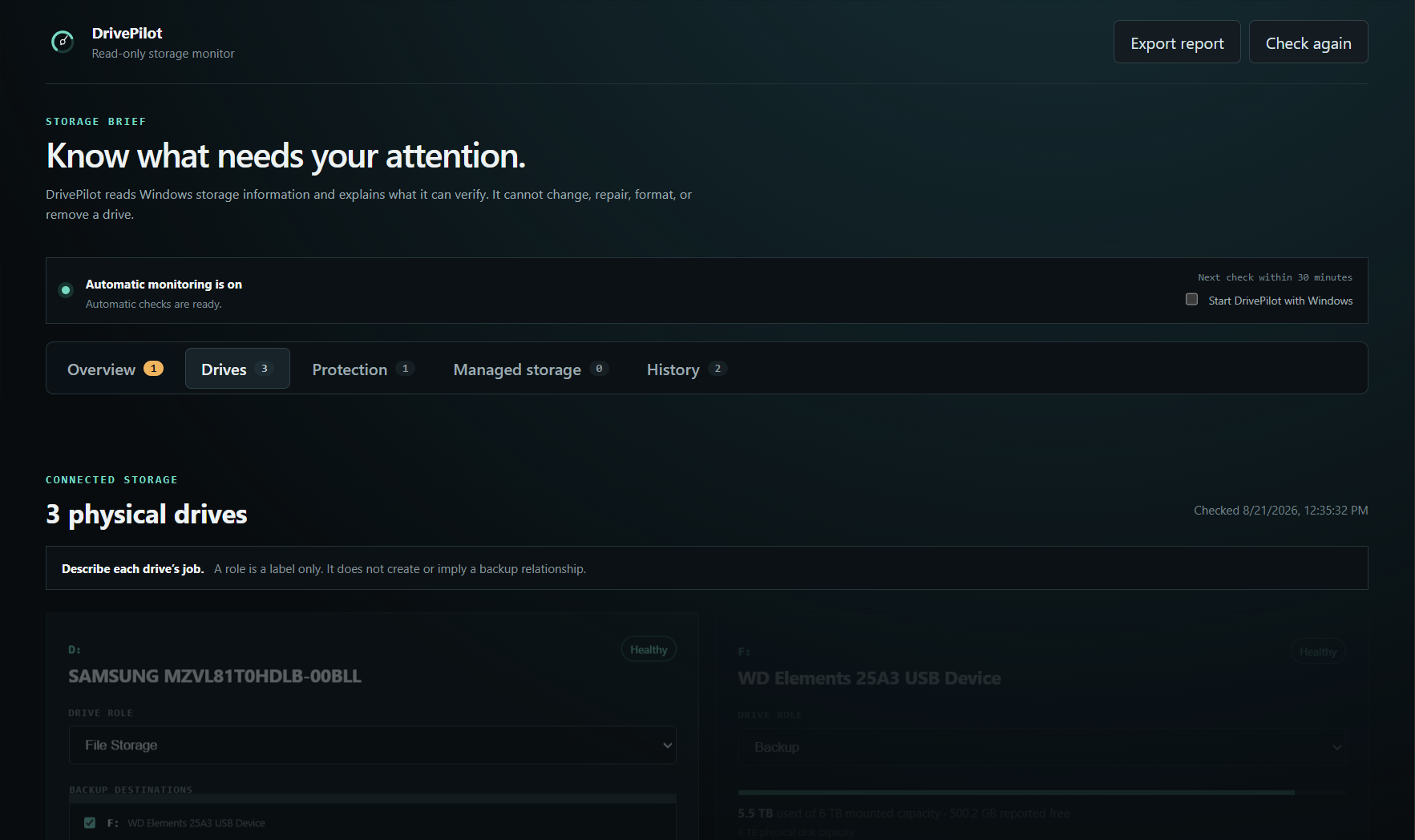
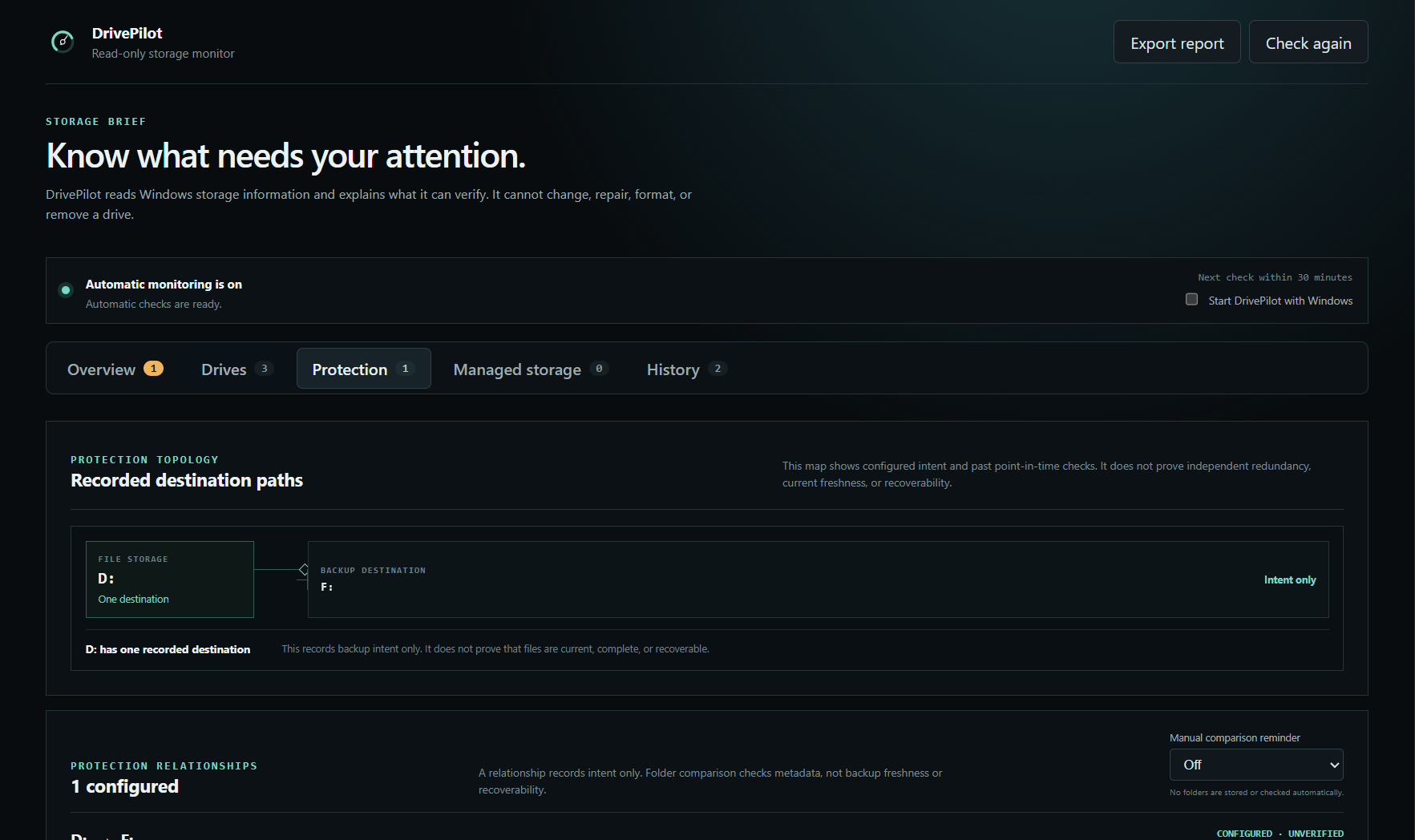
The dashboard
Five views, no wall of telemetry.
Drives, protection topology, Windows-managed storage, and local history each get their own view, with a count of what Windows or a saved intent actually flagged.
Safety boundary
It reads. That is the whole point.
DrivePilot is deliberately read-only. Storage collection happens in an isolated process using fixed read-only Windows queries, and the interface receives a narrow validated view of the result. It never asks for elevation.
- Format, partition, mount, eject, resize, repair, rebuild, or delete any storage
- Create, remove, or modify storage pools, virtual disks, RAID layouts, or Storage Spaces
- Copy, sync, mirror, or delete your files
- Request administrator elevation to collect anything
- Send your storage information anywhere — it stays on your computer unless you export a report
It also will not tell you a drive is fine when Windows did not say so. RAID, mirroring, parity, and snapshots are reported as configuration, never as proof that a backup exists or that files are recoverable.
Get DrivePilot
DrivePilot 0.2.0 — ten dollars, once.
One payment, no subscription, no account inside the app. You get the installer immediately after checkout, and the SHA-256 below to verify it. It does the reading and explaining described on this page, and nothing beyond it.
Windows will warn you when you run it
The installer is not code-signed yet, so SmartScreen shows a blue "Windows protected your PC" box and the publisher shows as unknown. That is expected, and worth being upfront about rather than letting you discover it.
- Run the downloaded installer.
- On the SmartScreen box, click More info.
- Click Run anyway.
If you would rather verify the file first, compare its SHA-256 against the value below using Get-FileHash in PowerShell.
- Version
- 0.2.0
- Size
- 100,800,669 bytes
- SHA-256
- E26727848A1732BF6597035C0E376070C76325277786859D2F1C139F27945B38
- Signature
- none — unsigned
- Requires
- Windows 10 or 11, x64
Questions
Before you install it.
Does DrivePilot control or repair my drives?
No. It is intentionally read-only and cannot format, partition, eject, repair, rebuild, delete, move, or reorganise anything. Where it cannot safely perform an action, it does not show a control for it.
Is this a replacement for backup software or RAID?
No. It is a monitoring and explanation layer. Your backups, storage pools, and RAID arrays remain separate systems doing their own jobs — DrivePilot reports what Windows says about them and tells you when the evidence is incomplete.
Can it tell me when a drive will fail?
No, and it will not pretend to. It reports the health and reliability evidence Windows exposes, and tracks changes across scans. It does not manufacture failure dates, and it never treats missing telemetry as a clean bill of health.
Where does my storage information go?
Nowhere. Inventory, roles, and scan history stay in the application's data folder on your computer. There is no account, no telemetry, and no cloud component. A report leaves your machine only if you export one yourself.
Why is the installer 96 MB?
It bundles the Electron runtime, which is how the application renders its interface. The storage reading itself is done with built-in Windows queries.
Why does it cost $10?
It is a one-time price for a tool that took real engineering discipline to build: 352 tests, a hard read-only boundary, and language that never claims more than the evidence supports. There is no subscription and no upsell inside the app.
Why is it unsigned?
A code-signing certificate is an annual cost that has not been bought yet. Signing is already wired into the build, so it will be signed once a certificate is in place. Until then the SHA-256 above is the way to confirm you have the right file.
Does it work on macOS or Linux?
Not today. It reads Windows-specific storage interfaces, so it is Windows-only. Other platforms are a roadmap question, not a current claim.